4

Possible Duplicate:
Windows 7 resize shortcuts to Mac OS X

In Windows 7, if I drag a window to the far right or left of the screen, it will resize and reposition the window to take up half of the screen on that side. It will also maximize the window if I drag it to the very top of the screen. Is there any way to accomplish similar behavior in Mac OS X, either built into the OS itself or via some downloadable extension?

Dan Tao
  • 1,089
  • 3
  • 14
  • 26

1 Answers1

4

BetterTouchTool

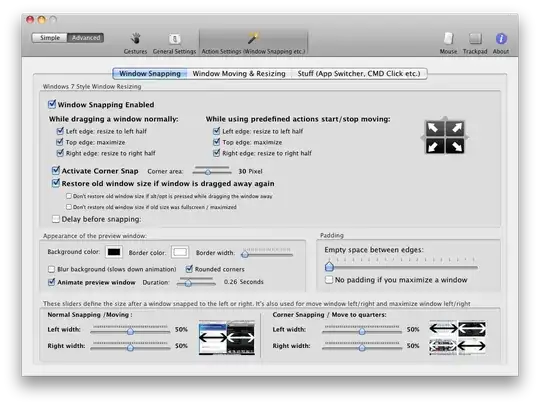
In Preferences → Basic Settings, select Window Snapping. It works exactly like in Windows.

enter image description here

enter image description here

BetterSnapTool

BetterSnapTool allows you to easily manage your window positions and sizes by either dragging them to one of your screens corners or to the top, left or right side of your screen. This lets you easily maximize your windows, position them side by side or even resize them to quarters of the screen.

slhck
  • 223,558
  • 70
  • 607
  • 592
  • Beautiful! I just downloaded it and it works perfectly. Though I'm curious why BetterSnapTool is for sale in the app store while BetterTouchTool (which appears capable of doing the same and more) is available as a free download. Any idea? – Dan Tao Jun 23 '11 at 16:50
  • That's exactly what I was thinking too. I guess BetterTouchTool is a tad older, so the author tried new ways of distribution with BetterSnapTool and thought he could demand a small price for it. – slhck Jun 23 '11 at 16:57