4

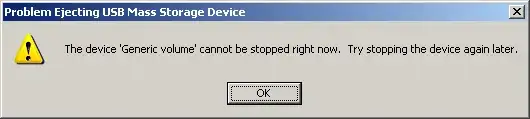
Sometimes I can't remove the external USB hard disk because of the error in the screen shot below when i try to safely remove the hard disk. There does not appear to be an application using the hard disk and it occurs randomly.

Is there a way to see which software has a lock on any file on the hard disk?
alt text

fixer1234
  • 27,064
  • 61
  • 75
  • 116
Karim
  • 1,202
  • 4
  • 17
  • 33

4 Answers4

3

"Generic volume cannot be stopped right now" error when Removing a pen-drive

  • you're welcome, i'm using Unlocker myself, great little tool. –  Aug 25 '09 at 01:02
  • However be careful with Unlocker and this kind of tools, as explained there : http://superuser.com/questions/2937/how-do-i-delete-a-folder-thats-in-use/2965#2965 – Gnoupi Aug 25 '09 at 15:36
  • 1
    Please quote the essential parts of the answer from the reference link(s), as the answer can become invalid if the linked page(s) change. – DavidPostill Nov 11 '16 at 13:09
2

This error usually occurs when you have an explorer window open which is still referencing the USB drive. Close all explorer windows and try again.

Edit: Try this Eject A USB Drive

Craig
  • 332
  • 1
  • 5
  • there is absolutly no explorer or any other programs that are doing any work on this drive. this is why i am looking for a tool that will tell me which program is locking this drive. i tried http://www.nirsoft.net/utils/opened_files_view.html and there is no open files on that drive. – Karim Aug 25 '09 at 00:32
2

Note that if you use Unlocker to get rid of this problem, be careful.

If you use it to watch which programs are using it, and you are closing these programs yourself, it's ok. But if you use Unlocker to actually "unlock" the files, it's a bad thing. Doing so, you are violently closing the handle, and it's in the end the same effect as removing directly the usb harddisk, you can lose data.

Gnoupi
  • 8,108
  • 9
  • 43
  • 59
1

In Windows I often make use of a tool that detect open Handles such as Process Explorer.

If your USB drive is at the drive letter K: you do a 'handle search' for

K:\

Then you can force close these open handles to release a lock on the drive, and then eject/safely remove works.

Nick Josevski
  • 6,967
  • 10
  • 45
  • 61