I need an app that tells about file & folder sizes, like what is the biggest file and/or folder on my hard disk, sort this detail from biggest file and/or folder to the smallest & vice versa, also able to tell me about this detail based on the folder that I have chosen.
Asked
Active
Viewed 717 times
9

-
I've had good luck with the free jDiskReport – BasementJack Sep 06 '10 at 19:36
8 Answers
3
you can easily do this at the command line by executing the following at the root (/),
du -sk * | sort -nr
For directories only you can execute:
du -sk */

ennuikiller
- 1,110
- 7
- 13
3
You could try Disk Inventory X.
Disk Inventory X is a disk usage utility for Mac OS X 10.3 (and later). It shows the sizes of files and folders in a special graphical way called "treemaps". If you've ever wondered where all your disk space has gone, Disk Inventory X will help you to answer this question.


-
1+1, great suggestion! I use the equivalent software on Windows for exactly this purpose. I updated your link to go to the manufacturer's website directly, rather than to the 3rd party review site, as that'll be more helpful to people viewing your answer :) – nhinkle Aug 28 '10 at 01:43
-


0
Sometimes the issue is just that the ~/Library/Caches has become huge.
The command
du -sh ~/Library/Caches/* | sort -h
will give you the usage of each subfolder in Caches folder.

Galuoises
- 95
- 1

0
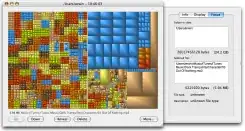
There are two GUI applications for Mac that help visually identify what's taking up disk space: Disk Inventory X and GrandPerspective. If you've ever used KDirStat or WinDirStat then you should be comfortable with it, but even if not it's fairly self-explanatory when you run it.
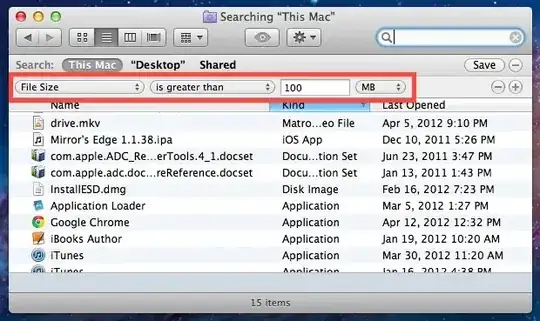
You can also search by file size in Finder.

Andrew Lott
- 943
- 1
- 7
- 22