4

enter image description here

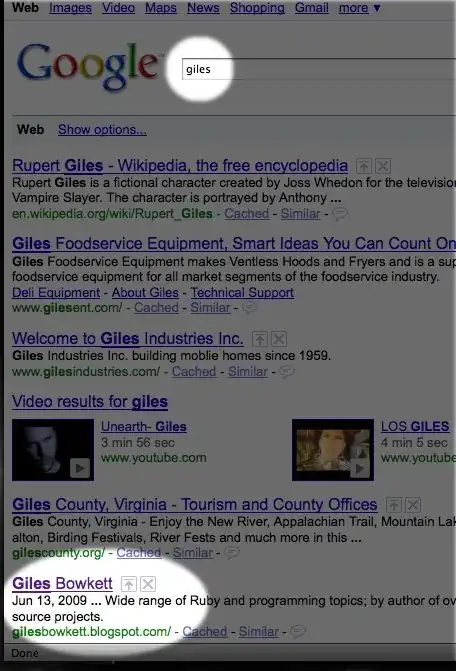
How can I create a screen shot like the above? I am using a Mac.

Burgi
  • 6,493
  • 14
  • 39
  • 52
Nadal
  • 939
  • 3
  • 8
  • 11

3 Answers3

4

This can be done in gimp

  • Select the oval tool
  • Make sure the edge settings are fuzzy
  • Select the areas you want to put emphasis
  • Invert selection
  • Select Fill tool
  • Set to color and include alpha settings ("alpha" is transparency)
  • And fill the selected area outside the ovals.
Jarvin
  • 7,236
  • 6
  • 50
  • 63
2

The Omni Group (developer of OmniGraffle) has a great free Mac app called OmniDazzle that was created solely for the purpose of highlighting areas of your screen.

It comes with a set of 10+ screen effects that can be activated using keyboard shortcuts, mouse gestures or the menubar icon. For the task you described—"screen shot with emphasis"—the Focal Point, Cutout and Flashlight effects would all work. And you can configure things like border size/color, shading level, etc. in a settings panel. (Other effects of note: Scribble and Zoom, which do exactly what you'd expect.)

I've used/tried Gimp, Photoshop, Pixelmator, Skitch, Aviary and a handful of other methods to handle tasks like the one you described, and so far OmniDazzle is the easiest and most convenient. Skitch would be my #2 choice, but that's a much bigger app with a comprehensive set of capture + edit + upload + share tools — whereas OmniDazzle is small, simple and tailor-made for this task.

Tom
  • 33
  • 5
  • 1
    For anyone else who runs across this, OmniDazzle is no longer developed and doesn't seem to work with recent versions of OS X: https://support.omnigroup.com/omnidazzle-troubleshooting/ – dan Jan 11 '17 at 17:28
1

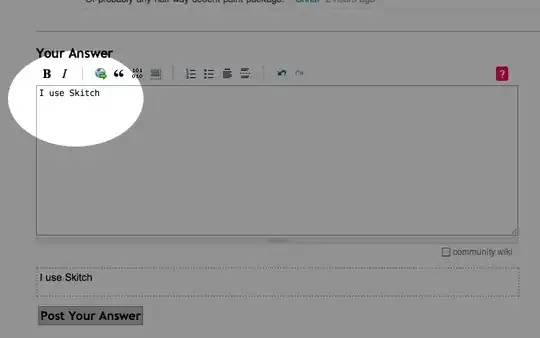
Here's a video of the process using Skitch
alt text

Gaff
  • 18,569
  • 15
  • 57
  • 68
peelman
  • 4,831
  • 21
  • 23
  • 1
    Great video @peelman, but could you perhaps elaborate on the features of Skitch? – Ivo Flipse Jun 18 '10 at 08:44
  • Its a free utility that is like Cmd-Shift-3 and Cmd-Shift-4 (OSX's built in screen shot hot keys) on speed. It lets you grab the screen, or a portion of the screen, edit it, then post it to either myskitch.com or a webserver of your choosing (via most standard methods, ftp, sftp, webdav, etc). Its utility can only be truly explained by using it. – peelman Jun 22 '10 at 14:09