1

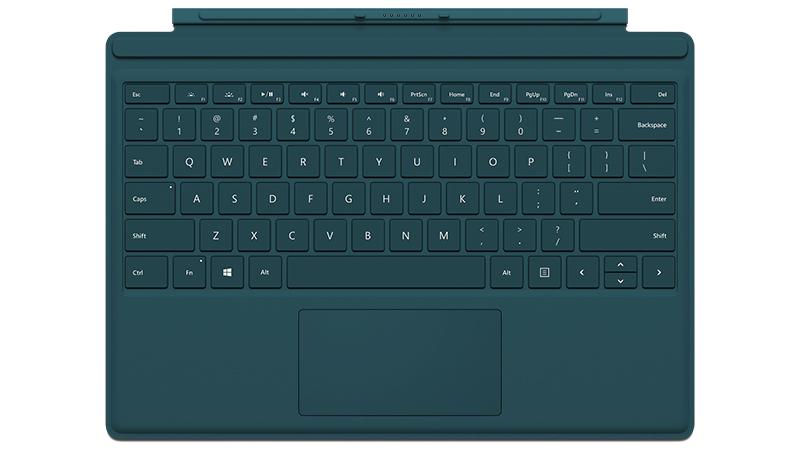
I recently got a Surface Pro i5 128GB with the type cover. The SP 4 Type Cover looks like this.

I am looking for a way to make all the function keys to behave as function keys, but the PrtScr (F7), Home (F8), and End (F9) keys should function as the PrtScr, Home, and End keys respectively.

Thanks in advance!

1 Answers1

1

The solution to your problem is:

Fn + Caps = Toggle Function Keys Always ON/OFF

Reference: http://www.surfaceproblog.com/trick-lock-the-fn-key/

You must remap the function keys to get Print/Home/End back

Here's the script commands for those three keys:

AHK Script 1:

F8:

Send, {Home}

AHK Script 2:

F9:

Send, {End}

AHK Script 3:

F7::

Send, {PrintScreen}

-

-

You can create a script that re-maps any other key to execute one of those lines.

Download: https://autohotkey.com/

Mastaxx
  • 1,040
  • 8
  • 19
  • This works with some further information here: https://superuser.com/questions/1289531/how-to-lock-the-arrow-keys-to-the-alternative-function-of-home-end-pgup-pgdown-k, however it has to be `f8::` with two colons at the end to redefine the mapping – Toivo Säwén Apr 12 '23 at 09:21
  • To also enable commands such as shift+end, you can also add e,g: `+f9:: Send, +{End}` to the scripts – Toivo Säwén Apr 12 '23 at 10:01