This seems to be a fairly regular question, but I've searched through most of the posts and tried pretty much every solution but it's still failing. This may be beyond repair due to my own idiocy. The short version of events to get here was:
- Windows 10 Laptop
- Partitioned and installed ubuntu.
- Deleted linux partition
Restarted, stuck in grub GNU
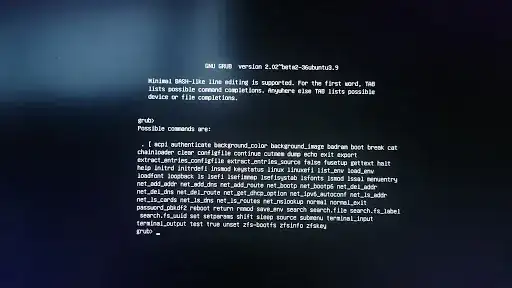
Restart, F3 to boot menu.
- bcdedit /delete to remove ubuntu loader, somehow managed to delete the windows one...
- cursed loudly
- Downloaded windows 10 disc to USB
- Repair computer simply brings me back to the troubleshoot menus

Troubleshoot menu options:
- Use a Device
  - ubuntu
  - UEFI: KingstonDataTraveler, Partition 1
- Troubleshoot
  - System Restore  (Fails)
  - System image Recovery (Fails)
  - Startup Repair (Fails - Startup repair couldn't repair your pc)
  - Command Prompt
  - UEFI Firmware Settings
  - Go back to the previous version (Fails - "We ran into a problem and won't be able to take you back to the previous build")
- Turn Off
I've tried following a number of solutions such as this or this, as well as just about every version of bootrec / bcdboot I can, but they all fail. I'm either misunderstanding how it's meant to run, or have gone beyond all hope. Here's exactly what I've tried:
# set boot to USB, with win 10 disk USB connected.
X:\Windows\system32> bootrec /rebuildbcd
> Successfully identified Windows installations.
> Total identified Windows installations: 1
> [1] \\?\GLOBALROOT\Device\HarddiskVolume5\Windows
> Add installation to boot list? Yes(Y)/No(N)/All(A): y
> The system cannot find the file specified.

X:\Windows\system32> bootrec /fixmbr
> The system cannot find the file specified.
Current partition/volume setup:
Partition ###  Type           Size     Offset
-------------  -------------  -------  -------
Partition 1    System         300 MB   1024 KB
Partition 2    Reserved       128 MB    301 MB
Partition 3    System         221 GB    429 MB
Partition 4    System          15 GB    221 GB
Partition 5    Recovery       900 MB    237 GB

Volume ###  Ltr  Label        Fs     Type        Size     Status     Info
----------  ---  -----------  -----  ----------  -------  ---------  --------
Volume 0     F   Audio CD     CDFS   DVD-ROM      617 MB  Healthy
Volume 1     C   DATA         NTFS   Partition    911 GB  Healthy
Volume 2         BIOS_RVY     NTFS   Partition     20 GB  Healthy    Hidden
Volume 3         SYSTEM       FAT32  Partition    300 MB  Healthy    Hidden
Volume 4         OS_Install   NTFS   Partition    221 GB  Healthy    Hidden
Volume 5                      RAW    Partition     15 GB  Healthy    Hidden
Volume 6     E   WinRE tools  NTFS   Partition    900 MB  Healthy    Hidden
Volume 7     D   ESD-USB      FAT32  Removable   7444 MB  Healthy

# in diskpart
sel vol 3
assign letter = V
exit
cd /d V:\EFI\Microsoft\Boot\
bootrec /fixboot
> The system cannot find the file specified.

ren BCD BCD.old
bcdboot C:\Windows /s V: /f UEFI
> Failure when attempting to copy boot files
I'm not hugely attached to my windows setup, but if there's any way I can get it working it would save me a lot of hassle! Failing that, I'll salvage what I can and wipe the lot. Anyone able to help?


