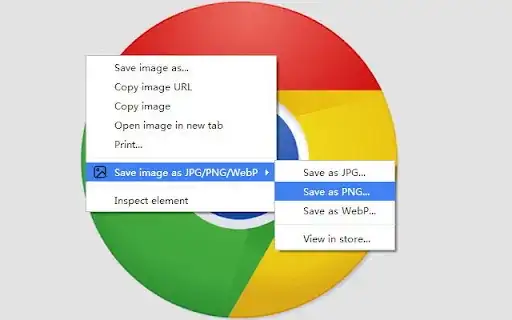
Chrome does not change images from JPEG to WebP - the images are served in WebP format from the website you're browsing. The web designer chose to serve images in WebP format because they're smaller than JPEG, so they load faster and use less of your bandwidth. It's better for everyone but not many programs can view WebP images at present, which can be a problem if you save a WebP image and then want to open it on your computer.
The good news is that you don't need to convert the WebP image to JPEG (or PNG or GIF) to view it. Chrome can display WebP images (as can Firefox, Opera and Edge browsers), which means you can simply open the .webp file in Chrome. In Chrome, click Ctrl + O to open the file or just drag and drop the file into Chrome.
If you want to edit the WebP image that you downloaded, you can open it in Photoshop and some other image editors (e.g. GIMP or MS Paint). More and more programs are adding support for WebP images, so in the future you'll have a wider choice of programs for viewing and editing WebP.
If you really need to convert the WebP image into a JPEG and you don't have a program to do that, you can upload the image to a converter service such as this:
https://ezgif.com/webp-to-jpg