0

Yesterday I was happily using my computer when I decided to turn it off. Today I started to get a problem when I started it.

I tried to start one of the apps I have installed there (my SSD has only 16GB free) and it said there was no directory. I went to check and the D disk wasn't there. So I decided to restart my computer and see what happened.

It did recognize it, but the major problem is that it is using the 100% of the disk all the time. I restarted my computer and stop working again. Right now is the 4th time that I have restarted my PC and it found it again.

My Setup:

  • CPU: Fx-9590 4.7 - 5 GHz
  • RAM: 16GB Kingston Fury
  • SSD: Samsung EVO 850 120GB
  • HDD: WD Caviar Blue 1TB
  • mobo: Gigabyte Ga-990fx-gaming
  • Cooling: H80i Corsair

Edit: I already tried changing the SATA and power cables. The most important part here this only happens in Windows 10, I tried using Hirens boot CD and the results from the hard drive were fine, I tried on Ubuntu and it is the same. It seems Windows 10 has something to do with this. I tried reinstalling windows and nothing changed, the only thing installed in this new version of Windows were drivers and nothing else.
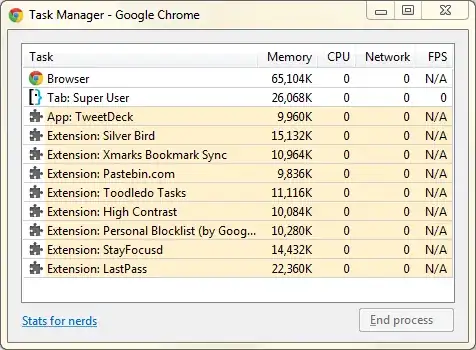
https://i.stack.imgur.com/EhmEA.png

karel
  • 13,390
  • 26
  • 45
  • 52
martor
  • 1
  • 3
  • Possible hard disk failure. Check your hard drives for SMART errors [How can I read my hard drive's SMART status in Windows 7?](http://superuser.com/q/29240), and [What is the easiest method of checking SMART status for your hard drive?](http://superuser.com/q/14803). Report back with the results. – DavidPostill Aug 19 '16 at 12:25
  • i used teh Smart tool from WD and it telled me that every thing was okay – martor Sep 02 '16 at 02:07
  • 1
    Your comment below the answer says "Test Result: FAIL Test Error Code: 08-Too many bad sectors detected" That is not OK. Please [edit] the question and include the full SMART results. – DavidPostill Sep 02 '16 at 08:17
  • it actually bas wrong, i did the same test but in linux and windows xp and went perfectly. no bad sectros and the benchmark was peerfect – martor Sep 04 '16 at 17:53
  • Have you done a virus sweep? Also you have backups, right? – Burgi May 31 '17 at 15:19

2 Answers2

0

Have you tried switching or replacing the HDD cables? If not, you may want to try on both the power cable and data cable.

Monitor if the issue will still reoccur. If it does, check your HDD's mechanical functionality. Power on your computer, listen to the HDD while running if there will be clank noise. This time, if there is a clank it could be a hardware issue and you would consider replacing the HDD.

falconaire
  • 21
  • 2
  • I just tried changing the sata cable and it started working fine, but then again after a few weeks it stoped recognizing it, right now i think is a problem with windows 10, When i shut down the machine and disconect it from the source power clean the capacitors in the motherboard it starts recognizing it again – martor Sep 01 '16 at 20:10
0

It's important to check if the drive is recognized in BIOS.

In case it is, then make a backup of your most important data stored on it, if you haven't done so already and after that done run a diagnostic test on the HDD with the manufacturer tool Data Lifeguard Diagnostics and see if any errors or bad sectors will be find by the software:

http://products.wdc.com/support/kb.ashx?id=SivDPr

Once the test is complete feel free to upload some screenshots so I can take a look.

If it doesn't appear in BIOS though, then you can try what was suggested by @falconaire - different SATA and power SATA cables, different ports of the motherboard and if none of these work out to plug the hard disk in another PC.

Let me know how it went. :)

Mighty_Miro_WD
  • 526
  • 3
  • 7
  • when the disk is not detected it does not apeat in the bios. i just downloaded the wd lifeguard tool in a few hours ill tell you the results – martor Sep 01 '16 at 22:31
  • Test Option: QUICK TEST Model Number: WDC WD10EZEX-00BN5A0 Unit Serial Number: WD-WCC3F7REU1S3 Firmware Number: 01.01A01 Capacity: 1000.20 GB SMART Status: PASS Test Result: PASS Test Time: 23:00:49, September 01, 2016 Test Option: EXTENDED TEST Model Number: WDC WD10EZEX-00BN5A0 Unit Serial Number: WD-WCC3F7REU1S3 Firmware Number: 01.01A01 Capacity: 1000.20 GB SMART Status: PASS Test Result: FAIL Test Error Code: 08-Too many bad sectors detected. Test Time: 23:23:59, September 01, 2016 here you go, i dont know what to do form this point on – martor Sep 02 '16 at 02:24
  • The test results seem fine, so at this point I'd suggest to try different cables and SATA ports and if that doesn't help then contact [our support](http://products.wdc.com/support/kb.ashx?id=tdrk5b) and see if they'll be able to help you further. Also, I'd suggest to remove the serial number of the unit from the post for security reasons. – Mighty_Miro_WD Sep 02 '16 at 11:17
  • i allredy tried changing the sata and power cable. the most important part here this only happends in windows 10, i tried using hirens boot CD and the results from the hard drive were fine, i tried on ubuntu and its the same. It seems windows 10 has something to do with this. Itried reinstalling windows and nothing changed, the only thing installed in this new version of windows were drivers and nothing else. – martor Sep 04 '16 at 15:32