7

The other day my computer randomly started displaying the full name of my ethernet controller as you can see here:
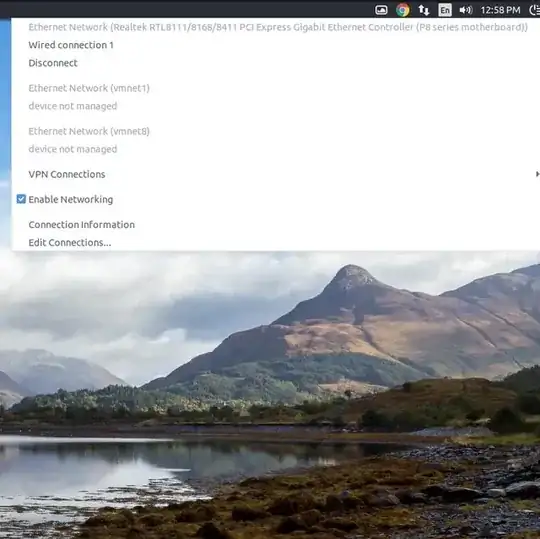
image of problem

I'm fine with it saying Ethernet Controller like it used to but having the whole name including my motherboard is a bit overkill and makes the dialog huge. My question is how do I revert this back to default to make the dialog smaller the way it used to be?

Seth
  • 57,282
  • 43
  • 144
  • 200

1 Answers1

0

Choose **Edit connections..." on the bottom of the menu, then you will see a list of connections:

enter image description here

Highlight the connection with unapropriate name, and click Edit. Now Just rename the interface in the settings window:

enter image description here

Now, rename, OK, OK, DONE

Rinzwind
  • 293,910
  • 41
  • 570
  • 710
maxkoryukov
  • 152
  • 1
  • 2
  • 10