7

My web browser opened, and I logged in. I get the message "Tomboy Web Authorisation Successful - Please return to the Tomboy Preferences window and press Save to start synchronising". So I returned to Tomboy to find the window below.

As you can see, it asks me to press save, but the save button is greyed out!
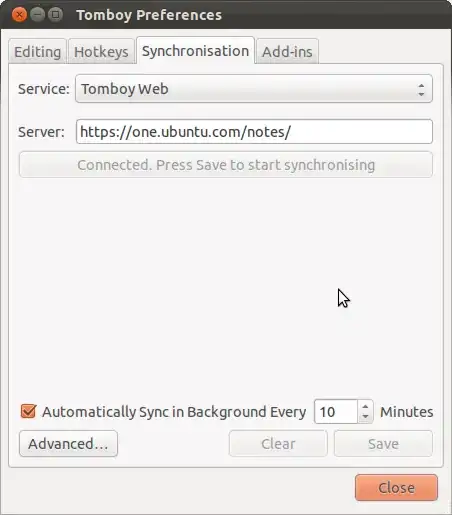
enter image description here

8128
  • 28,630
  • 27
  • 111
  • 145
  • well, that's only half the problem and half the soloution - at least for me. Once I get directed on the U1 website I'm asked to register a new computer. But my computer is registered allready. How to get around that problem? – Philippe Oct 30 '11 at 04:07
  • That is not a bug. That is the normal way. This is because your files and notes are synced using two different links. That's why, when you are setting up sync for your notes, you need give a new name to your computer and click on "Add"; this will start synchronising your notes. – rigved Oct 30 '11 at 05:03

1 Answers1

6

This is a known bug:

Launchpad Bug #845321

When setting up Tomboy to sync with Ubuntu One I'm unable to click Save in the Synchronization tab in Tomboy Preferences.

After getting the "Tomboy Web Authorization Successful - Please return to the Tomboy Preferences window and press Save to start synchronizing." screen in my browser I'm unable to actually click Save.

The Tomboy Preferences is stuck at "Authorizing in browser (Press to reset connection)" and the Save dialog is grayed out.

In the meantime before it is fixed, you could try the workaround described in comment #16:

The save button was always greyed out for me. Today I tried again and found out, that editing the server field enabled the save button for me.

  1. Edit server field. (Add a character and remove again)
  2. Connect to server
  3. Save
Isaiah
  • 58,486
  • 28
  • 133
  • 145