Under file Type column in Nautilus, I get file categories like Image, Document, etc. I need to sort files according to file format. Is there a way make a distinction, based on file formats?
Asked
Active
Viewed 159 times
0

Jacob Vlijm
- 82,471
- 12
- 195
- 299

tagMacher
- 630
- 8
- 14
-
If you have the same question as someone else 1½ years ago, please try to contribute to that question e. g. by adding a bounty. Voted to close as a duplicate. – David Foerster Feb 27 '15 at 13:36
-
possible duplicate of [How can I stop Files from oversimplifying file types?](http://askubuntu.com/questions/291839/how-can-i-stop-files-from-oversimplifying-file-types) – David Foerster Feb 27 '15 at 13:36
1 Answers
2
How to select / distinguish filetypes in nautilus
In a nautilus window, choose icon view:
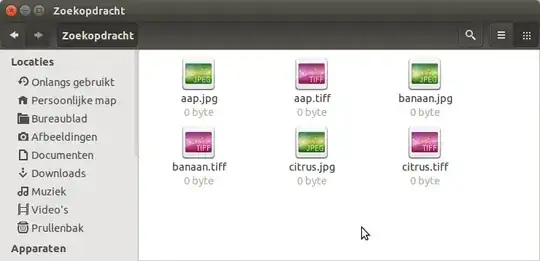
Press Ctrl+S (or choose Edit > Select Items Matching...), and type your searched properties:
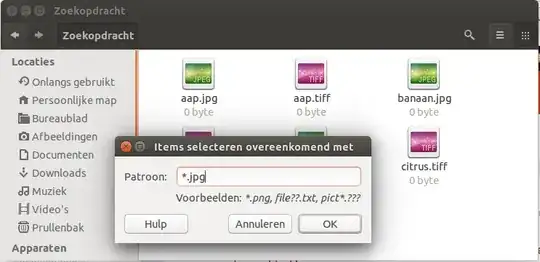
The items that fulfill the requirements are selected:


Jacob Vlijm
- 82,471
- 12
- 195
- 299
-
-
Actually what you suggested is the way I should have done; I could also have worked more efficiently than what I did, by opening up a Terminal window. The real issue is a successive dumbing down of Ubuntu that concerns me; I wanted to ask others if there is going to be a reversal in future versions, or is Ubuntu going the way of Microsoft Windows; David Foerster and others feel this is irrelevent and out of place so I will shut up here. – tagMacher Mar 01 '15 at 08:25