2

I'm thinking about making a partition to test out Mac OS X on my own computer hard drive and don't think it would suffice if I used it through VM. So, how would I go about returning to single boot Ubuntu after I decided I didn't want the Mac Partition any more?

I already know how to make the partition and work Gparted, but I have a few basic questions as well.

How would I go about editing grub to do this? I have "StartupManager" installed but I'm not sure how do all this from the GRUB wiki in 12.04...

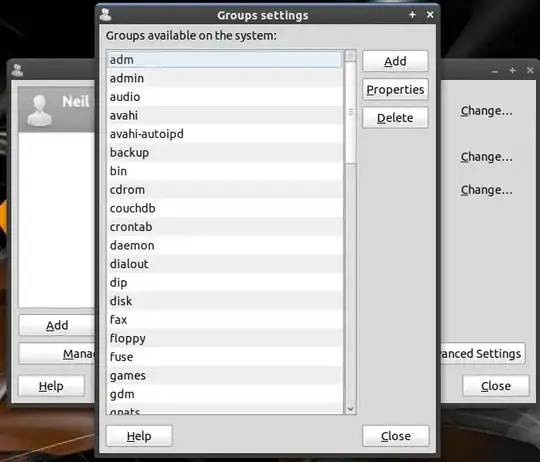
EDIT 1 What am I to edit here: enter image description here
Alex Poulos
  • 1,534
  • 7
  • 18
  • 30

1 Answers1

0

You do not use the start-up manager to edit the GRUB file. The startup manager is used to select configurations of the GRUB.

If you are installing or loading OS-X you will want it to use the bootloader currently on your Ubuntu system. Direct it to use the GRUB file to boot. Once installed, reboot into Ubuntu and update the GRUB file by sudo update-grub.

IF when done with OS-X and want to remove it, reformat the OS-X partition and run sudo update-grub

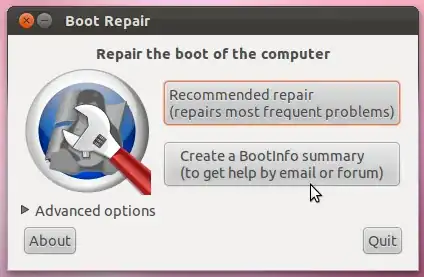
now if all else fails boot Ubuntu using a Live CD and install boot-repair

sudo add-apt-repository ppa:yannubuntu/boot-repair && sudo apt-get update
sudo apt-get install -y boot-repair && boot-repair 

enter image description here

use this to fix the GRUB file.

Ringtail
  • 16,011
  • 12
  • 60
  • 183
  • I need a little more help than that. How would I go about editing GRUB in 12.04 - I need some help with understanding what I'm editing: http://i.imgur.com/INm5L.png – Alex Poulos Mar 05 '12 at 23:21
  • Okay, So, I partition off my Hard Drive for the new OS to be installed into, then once it installs, what do I do? do I then boot up Ubuntu then update GRUB? then from there it automatically does it? I don't need to and edit any .cfg files or .ini files myself through gedit? – Alex Poulos Mar 06 '12 at 00:31
  • "Okay, So, I partition off my Hard Drive for the new OS to be installed into, then once it installs, what do I do? do I then boot up Ubuntu then update GRUB?" run the 'sudo update-grub' command and it will – Ringtail Mar 06 '12 at 00:38
  • So I don't need to even really touch the rest of it? I just do the 'sudo update-grub' and it does the rest? then from there, when I decide to remove OS X, I boot back into Ubuntu and do it again to put everything back to normal? – Alex Poulos Mar 06 '12 at 00:41
  • 1
    YES. exactly what you need to do – Ringtail Mar 06 '12 at 00:42
  • Alright, next question is, I have an ISO from one of my other Mac computers that I took from the disk - how would I get this onto a usb to boot? I usually use UNetBootin but there have been times it hasnt worked for some ISOs. So what can I use to make this ISO bootable on a usb from ubuntu? – Alex Poulos Mar 06 '12 at 00:54
  • 1
    To further this subject PLEASE open a NEW question. – Ringtail Mar 06 '12 at 00:57